
Creating a User Database and Table Using SQL
Many PHP applications require a user table to storeA login information.system In this tutorial, you will create a database, createneeds a users table,table that can identify accounts, store password hashes and addenforce yourroles. firstThis userexample accountuses usingfictional SQLaccounts statementsand inprepares phpMyAdmin.the database for PDO-based PHP pages.
Never store plain-text passwords. The
passwordfield below stores the output from PHP’spassword_hash()function.
OpenCreate phpMyAdminthe database
Open phpMyAdmin in your browser.
Example:
Once phpMyAdmin has loaded,, select the SQL, tab.
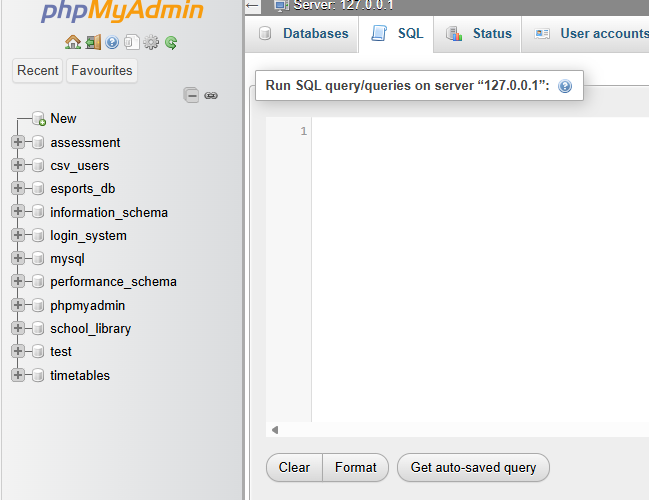
Create a Database
Run the following SQL statement:run:
CREATE DATABASE project_db;project_db
SelectSET theutf8mb4
newCOLLATE database:
USE project_db;
The database will store all of
Create the tablesusers required for your project.
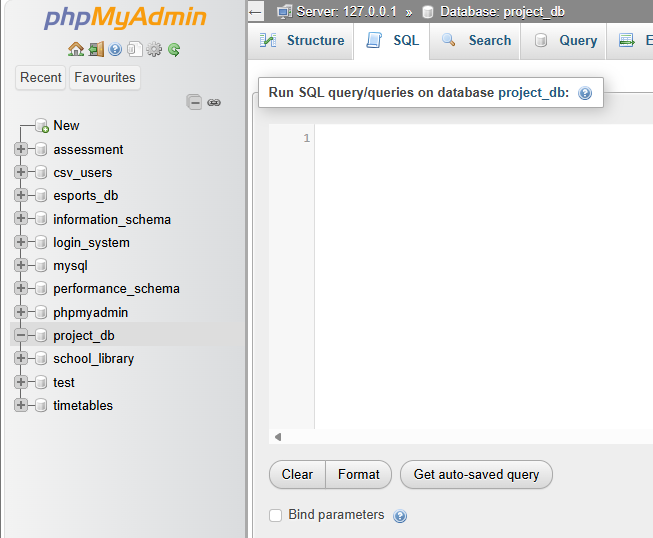
Create a Users Tabletable
Run the following SQL statement:
CREATE TABLE users (
  user_id INT AUTO_INCREMENT PRIMARY KEY,
  username VARCHAR(50) NOT NULL,NULL UNIQUE,
  password VARCHAR(255) NOT NULL,
  role VARCHAR(20) NOT NULL DEFAULT 'user',
  created_at TIMESTAMP NOT NULL DEFAULT CURRENT_TIMESTAMP,
  CONSTRAINT chk_user_role CHECK (role IN ('user', 'admin'))
);
This creates a table named users containing:
| Field | Purpose |
|---|---|
user_id |
|
username |
|
password |
role
user or admin
created_at
Account creation time
TheSome older MariaDB versions accept but do not enforce user_idCHECKfieldconstraints. isPHP must still validate the primaryrole, key.and Everyordinary recordregistration inmust never accept an administrator role from the table must have a unique primary key value. The AUTO_INCREMENT setting automatically generates the next available number whenever a new user is added.

>user.
Create thea Firstfictional User Accountadministrator
RunGenerate a hash with PHP’s password_hash() or the followingclassroom SQLpassword-hasher statement:tool. Insert the generated hash—not the test password:
INSERT INTO users (username, password)password, role)
VALUES ('admin'admin_demo', 'password123'$2y$10$REPLACE_WITH_A_REAL_TEST_HASH', 'admin');
ThisUse createsonly a userfictional accounttest withpassword. Never enter a personal, school or reused password into a classroom tool.
Verify the username admin and password password123.
View the Datatable
To display all records stored in the table, run:
DESCRIBE users;
SELECT *user_id, username, role, created_at FROM users;
YouDo shouldnot seeselect somethingor similardisplay to:

Add Another UserCheck
Additional
user.
Administrator status cannot be INSERTINSERTaccounts INTOand users (username, password)
VALUES ('teacher', 'secret123');
Display the table again:
SELECT * FROM users;
Result:
Notice that the user_id value automatically increases for each new user.

Security Note
In this tutorial, passwordsdata are storedfictional.
In a real application, passwords should never be stored this way. The next tutorial will demonstrate how to securely store passwords using password hashing.
Complete SQL Script
CREATE DATABASE project_db;

USE project_db;

CREATE TABLE users (
    user_id INT AUTO_INCREMENT PRIMARY KEY,
    username VARCHAR(50) NOT NULL,
    password VARCHAR(255) NOT NULL
);

INSERT INTO users (username, password)
VALUES ('admin', 'password123');

INSERT INTO users (username, password)
VALUES ('teacher', 'secret123');

SELECT * FROM users;
You now have a database and user table ready to connect to a PHP login system.