
Creating a User Database and Table Using SQL
Many PHP applications require a user table to store login information. In this tutorial, you will create a database, create a users table, and add your first user account using SQL statements in phpMyAdmin.
Open phpMyAdmin
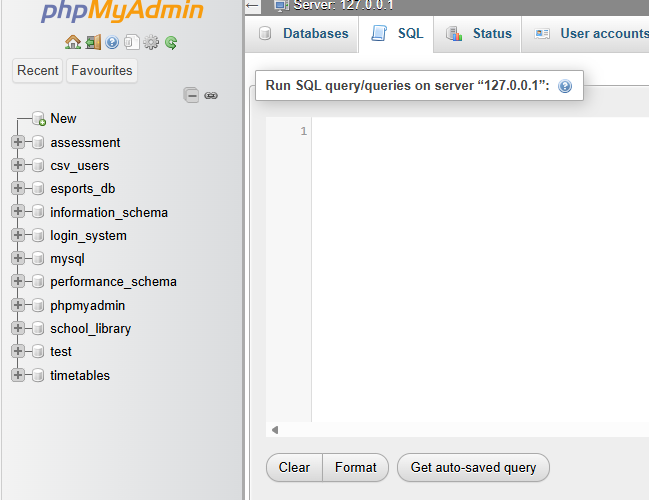
Open phpMyAdmin in your browser.
Example:
Once phpMyAdmin has loaded, select the SQL tab.
Create a Database
Run the following SQL statement:
CREATE DATABASE project_db;
Select the new database:
USE project_db;
The database will store all of the tables required for your project.
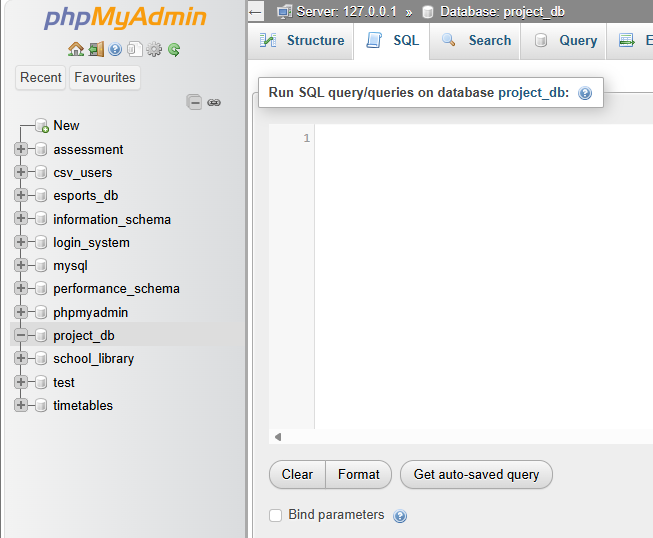
Screenshot Placeholder
Insert screenshot showing the SQL statement being executed and the newproject_dbdatabase appearing in the left navigation panel.
Create a Users Table
Run the following SQL statement:
CREATE TABLE users (
    user_id INT AUTO_INCREMENT PRIMARY KEY,
    username VARCHAR(50) NOT NULL,
    password VARCHAR(255) NOT NULL
);
This creates a table named users containing:
| Field | Purpose |
|---|---|
| user_id | Unique identifier for each user |
| username | Stores the username |
| password | Stores the password |
The user_id field is the primary key. Every record in the table must have a unique primary key value. The AUTO_INCREMENT setting automatically generates the next available number whenever a new user is added.
Screenshot Placeholder>
Insert screenshot showing the completeduserstable structure.

Create the First User Account
Run the following SQL statement:
INSERT INTO users (username, password)
VALUES ('admin', 'password123');
This creates a user account with the username admin and password password123.
Screenshot Placeholder
Insert screenshot showing the successful INSERT query message.
View the Data
To display all records stored in the table, run:
SELECT * FROM users;
You should see something similar to:
| user_id | username | password |
|---|---|---|
| 1 | admin | password123 |
Screenshot Placeholder
Insert screenshot showing the results table returned by the SELECT query.

Add Another User
Additional users can be added using the same INSERT statement:
INSERT INTO users (username, password)
VALUES ('teacher', 'secret123');
Display the table again:
SELECT * FROM users;
Result:
| user_id | username | password |
|---|---|---|
| 1 | admin | password123 |
| 2 | teacher | secret123 |
Notice that the user_id value automatically increases for each new user.
Screenshot Placeholder
Insert screenshot showing both user accounts in the table.

Security Note
In this tutorial, passwords are stored as plain text so the table structure is easy to understand.
In a real application, passwords should never be stored this way. The next tutorial will demonstrate how to securely store passwords using password hashing.
Complete SQL Script
CREATE DATABASE project_db;

USE project_db;

CREATE TABLE users (
    user_id INT AUTO_INCREMENT PRIMARY KEY,
    username VARCHAR(50) NOT NULL,
    password VARCHAR(255) NOT NULL
);

INSERT INTO users (username, password)
VALUES ('admin', 'password123');

INSERT INTO users (username, password)
VALUES ('teacher', 'secret123');

SELECT * FROM users;
You now have a database and user table ready to connect to a PHP login system.